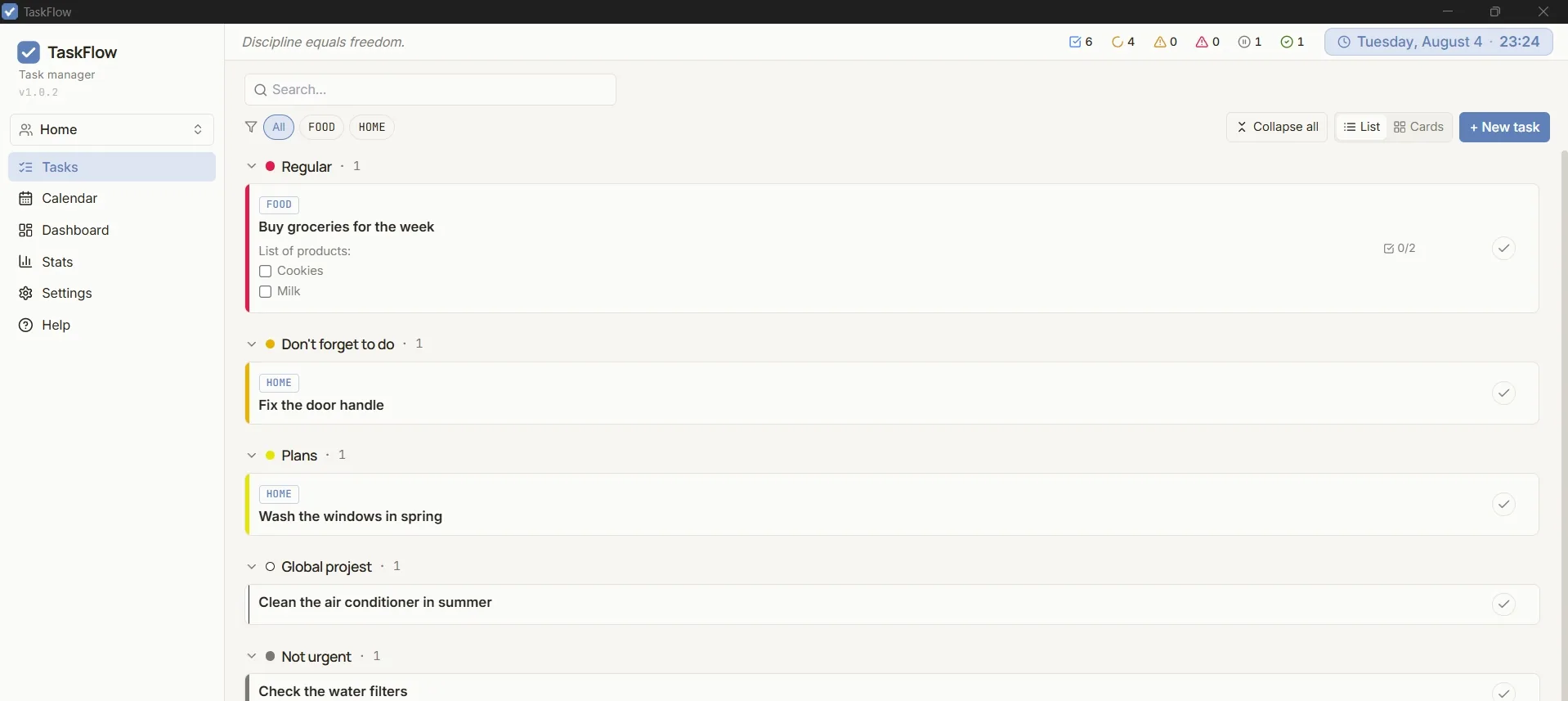
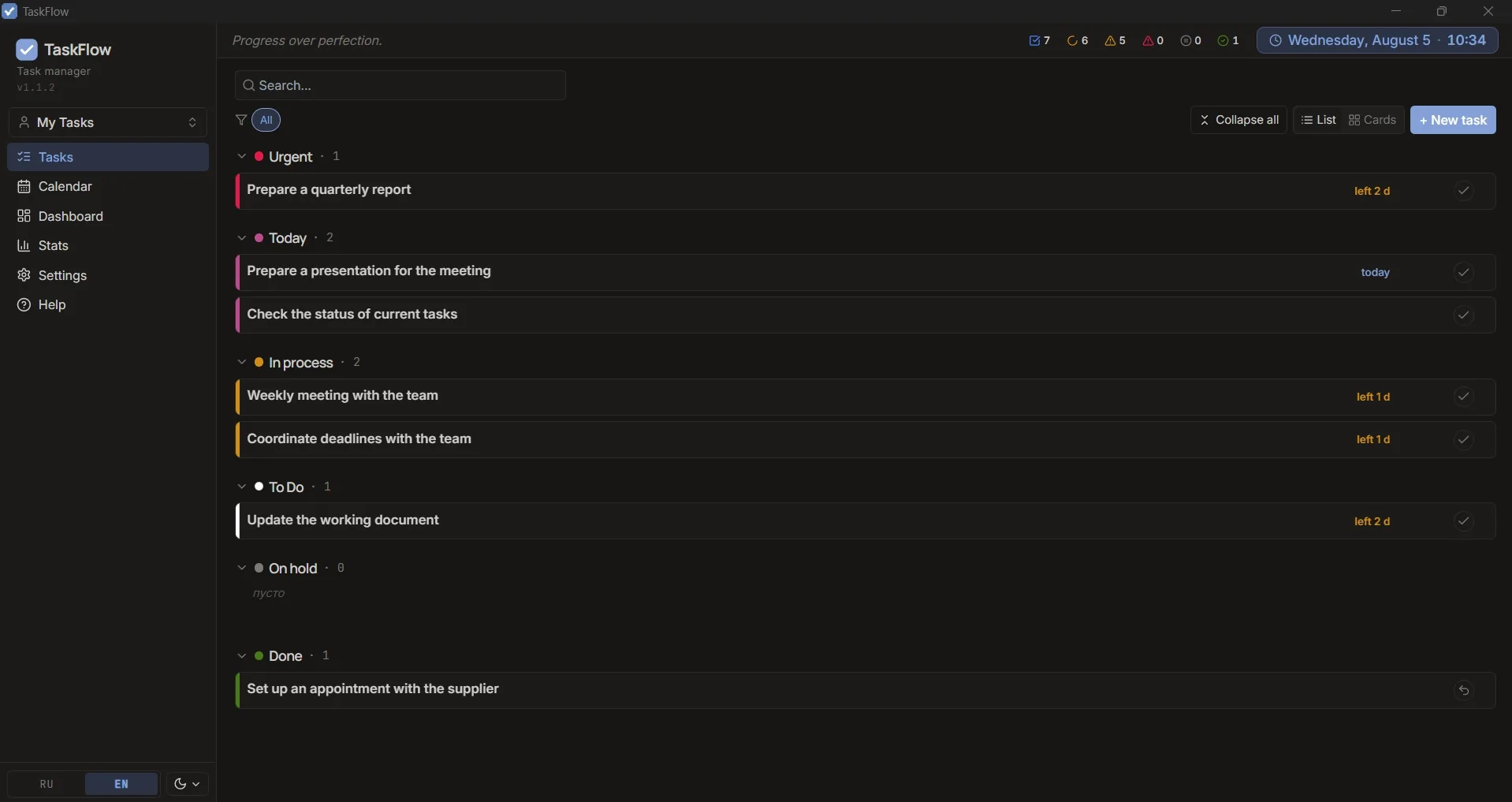
A desktop app that adapts to your workflow. Kanban, calendar, dashboard, flexible statuses — everything you need to keep your work under control.
Tasks, calendar, analytics, themes, and collaboration — all in one app.
Statuses, tags, and deadlines adapt to you. Filters, search, and List or Cards views — see your tasks the way that works for you.
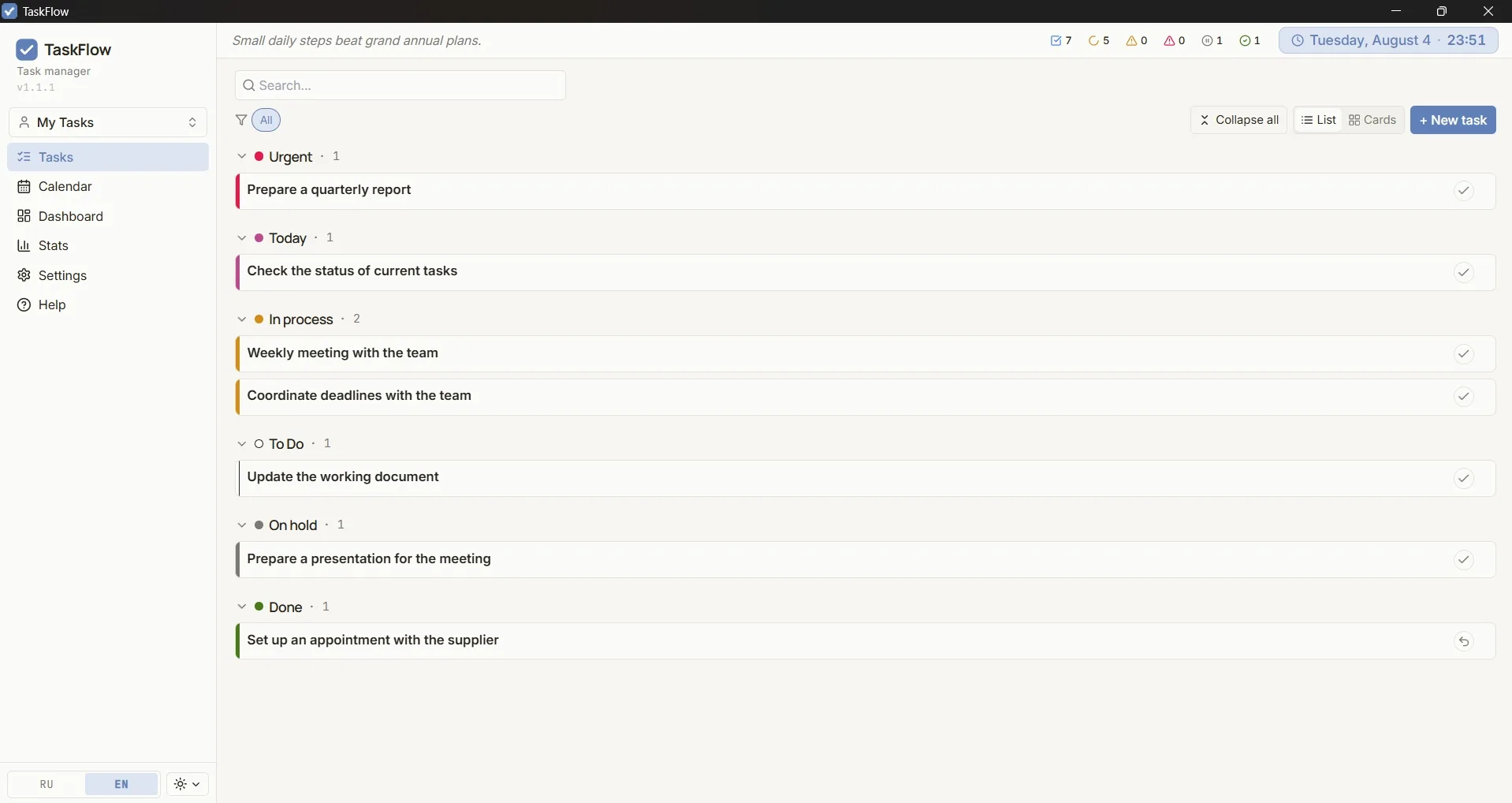
Weekly and monthly views, overdue and due-today tasks are highlighted automatically. Tasks without a deadline live in a separate list so nothing gets lost.
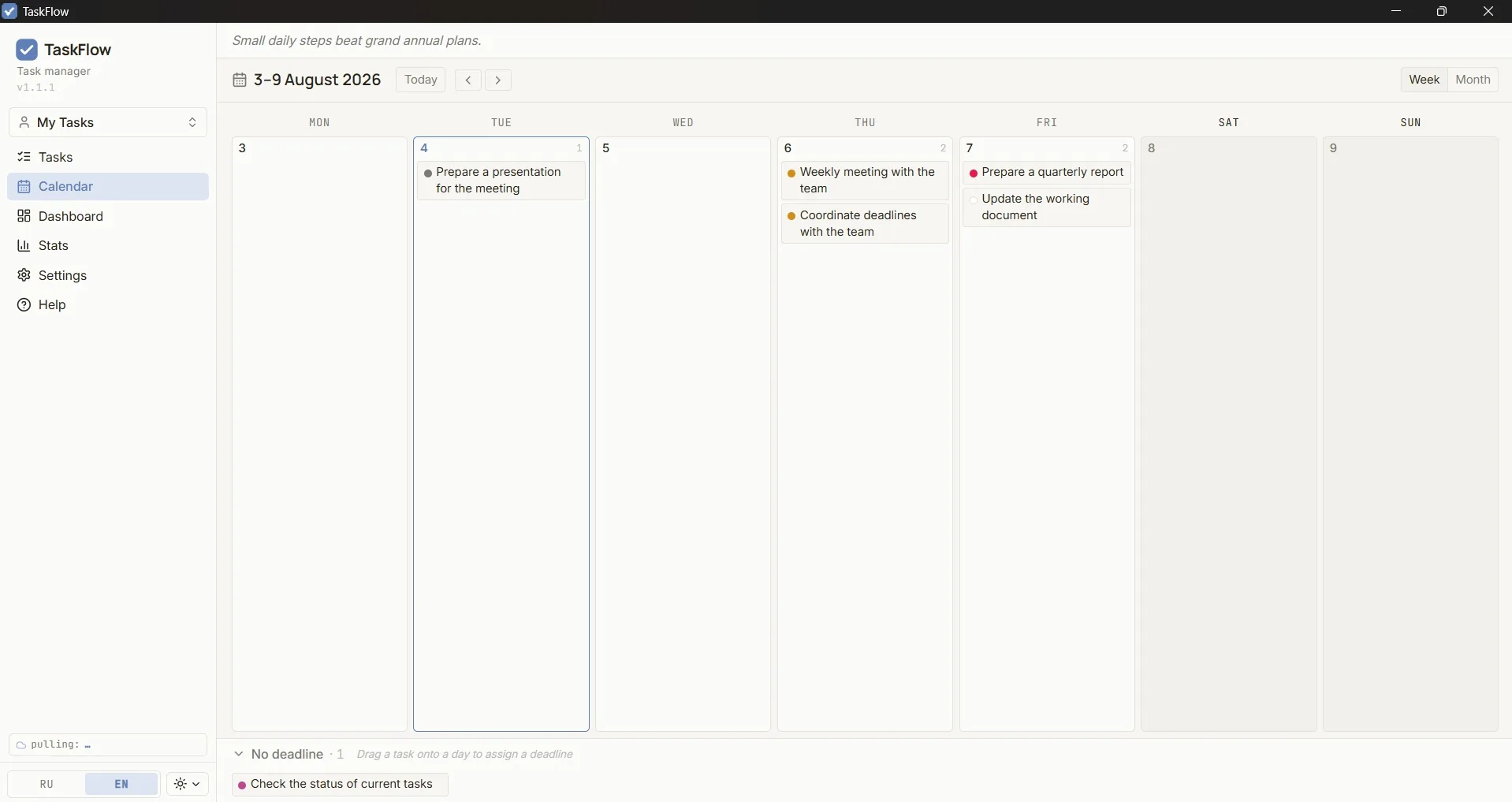
How many tasks are done, in progress, which tag comes up most. Activity for a week, month, quarter, or a custom range — all on one screen.
Several ready-made themes plus a fully custom one — pick three accent colors and the rest adjusts itself.
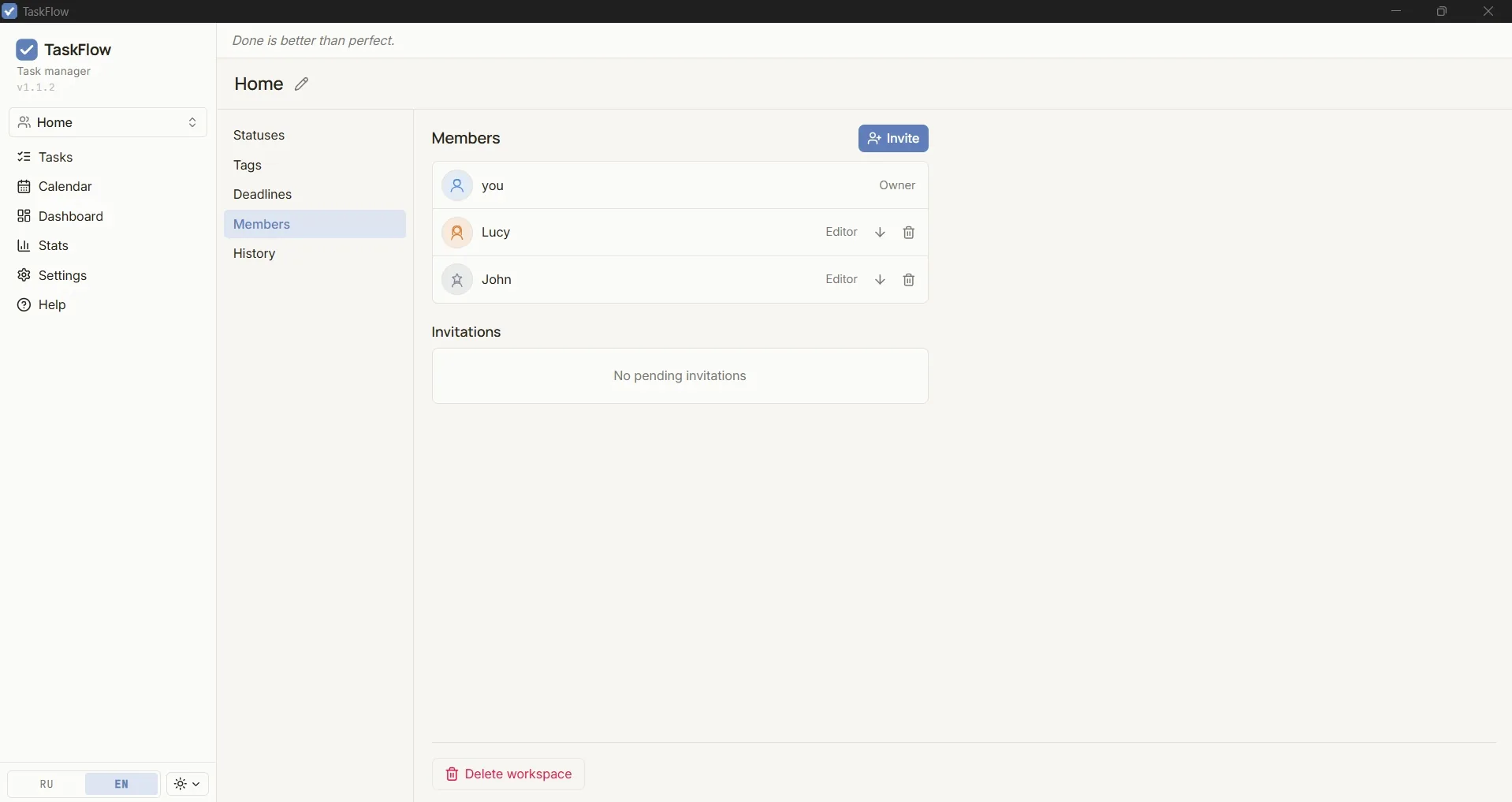
Invite people to a shared space, assign roles (Owner/Editor), and track everyone's changes.
Click a screenshot for a closer look
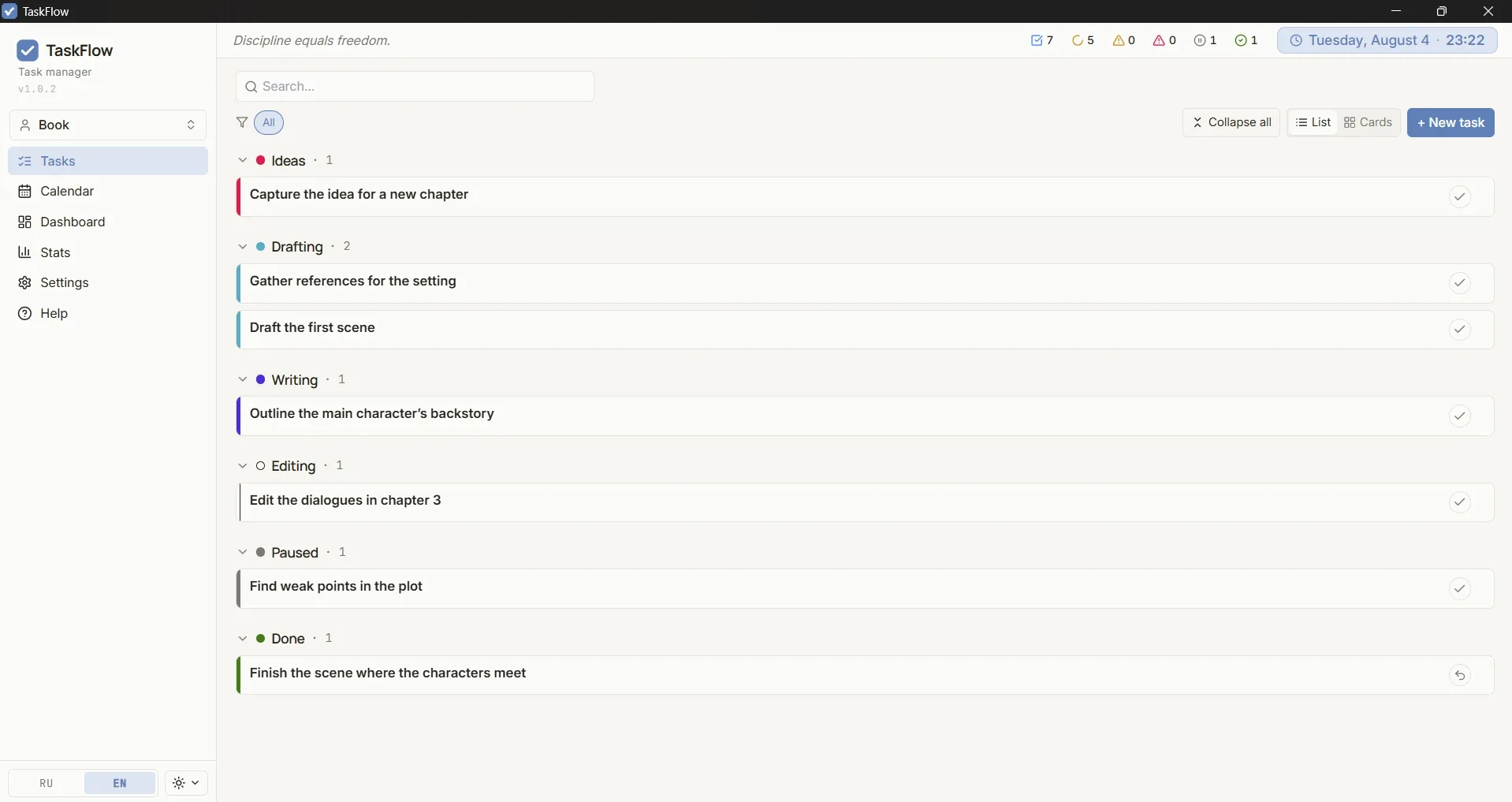
Personal spaces stay separate from shared ones — set up exactly what you need for work, a book, family, or home.
Writing a novel? Statuses like Idea → Draft → Writing → Editing → Done fit a creative process.
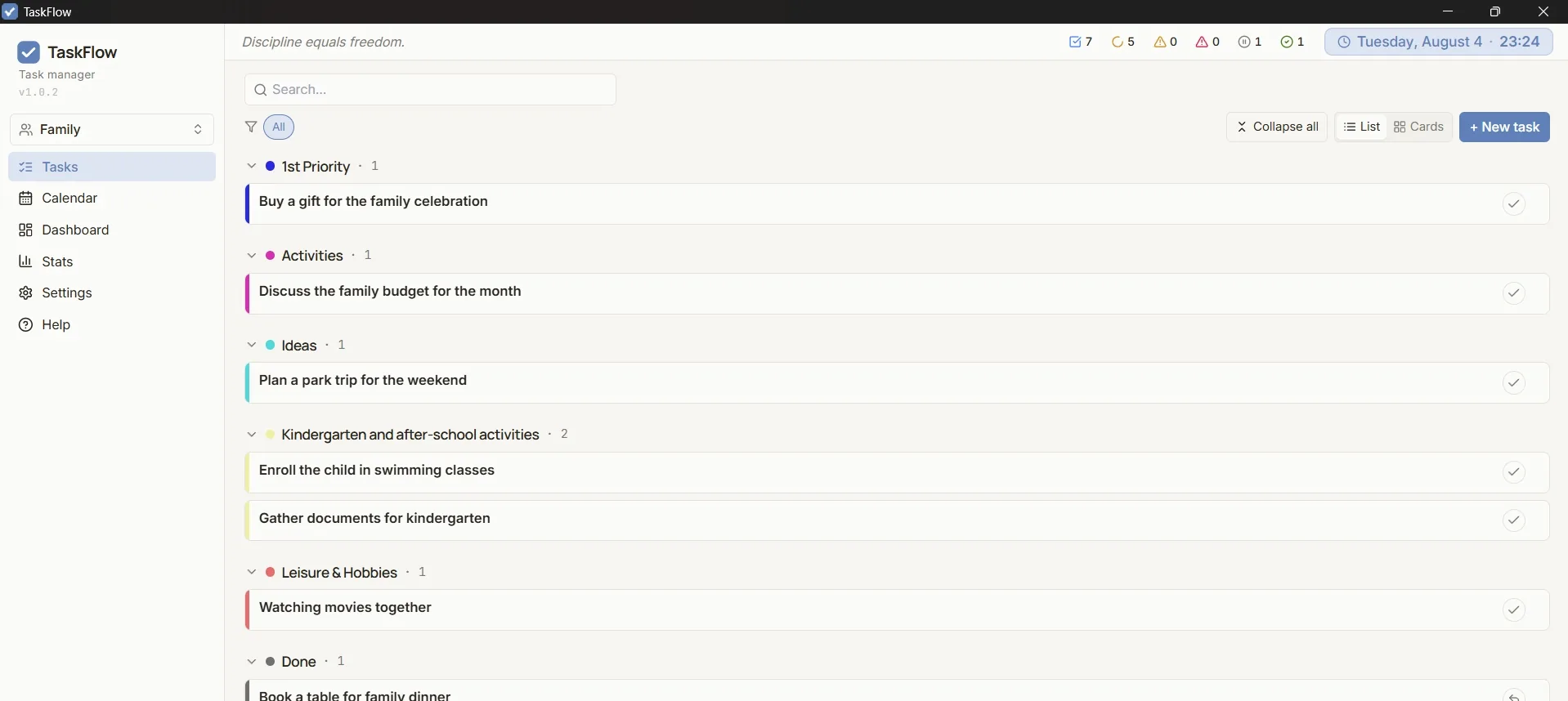
Shared errands, kids' activities, weekend plans — one space for the whole family.
Chores, shopping, repairs — your own tags and statuses for household tasks.
Click a screenshot for a closer look
TaskFlow doesn't try to replace Notion or Jira. It focuses on the essentials — a simple, clear interface that's comfortable to use every day.
Switch between list and Kanban board view. Drag & drop between statuses, your own colors and order. Five ready-made statuses — or set up your own to match your process.
Keep personal and work tasks separate in workspaces, and collaborate with your team in shared ones: invite by ID, member roles, change history.
Overdue and today's tasks are highlighted automatically. See workload by month, assign deadlines, group by category — everything is visible at a glance, nothing gets lost.
How many tasks you closed this week, where you're stuck, which category eats the most time. Data to make decisions with — not for decoration.
Works without internet — everything is stored locally in SQLite. On the paid plan, data syncs across devices and shared workspace members.
Several light and dark themes, plus a fully custom one — pick three accent colors, the rest is generated automatically. Switch between Russian and English in one click.
Custom color categories for projects, priorities, and contexts. One-click quick filters — show only what matters right now.
The app always stays up to date — it updates itself. Undo within 10 seconds after deleting or completing a task.
Download, sign up, start working. No complicated setup — everything works out of the box.
Portable version or NSIS/MSI installer for Windows, universal .dmg for macOS — no admin rights required.
Sign up with email or Google — takes a minute. The account unlocks the app's premium features.
Add tasks, categories, priorities. Custom statuses if you want. In five minutes the interface will feel like your own.
Open stack. Auto-updates. Tests on every release.
Payments via YooKassa. See our Refund Policy for details.
Flexible option — cancel anytime
Renews every 30 days
Save 17% — pay less, work more
≈ 249 ₽ per month
Pay once — use forever
All future TaskFlow Pro updates
On the free plan — 2 personal workspaces without sync and without shared workspaces. Everything else is in the paid plans above.
Clicking “Get started” opens TaskFlow on your computer. Haven’t installed it yet? Download for free and subscribe from inside the app.
By paying you agree to the public offer and privacy policy.
Download and use TaskFlow to work calmly, comfortably, with a clear head — tasks at hand, priorities in place, nothing forgotten.
I build TaskFlow alone, in my free time — no intrusive ads, no unnecessary data collection.
If the app and its features are useful to you and you'd like to see it keep growing, I'd be grateful for any support. Everything goes into new features, interface polish, and the time to keep supporting it.
Coffee for the developer is fuel for new commits ☕ So if TaskFlow has saved you even a single deadline, an espresso is already well-earned 🙂
What matters most to me is that you're using TaskFlow — any amount is a nice bonus. Thank you ❤
Payment via a regular bank card. The simplest option if you're in Russia.
Open CloudTips